Is Your Microsoft 365 Data Really Backed Up? Why Businesses Use Datto SaaS Protection
Moving email and files to Microsoft 365 or Google Workspace was one of the best decisions many businesses made. But there’s a common and costly misunderstanding about the cloud: keeping your service running is not the same as backing up your data.
Microsoft and Google work hard to make sure their services stay available. Protecting you from deleted emails, overwritten files, departed employees and ransomware is, for the most part, up to you. As an authorized Datto reseller, the Cyber Mavens help businesses close that gap with Datto SaaS Protection.
Doesn’t Microsoft 365 already back up my data?
Not in the way most people think. Microsoft 365 includes recycle bins and limited retention, which can help you recover something deleted recently. But those tools have time limits, can be difficult to search, and won’t help if the deletion or damage goes unnoticed for a while. Industry experts describe this as a shared responsibility model: the provider runs the platform, and you’re responsible for your data.
How do businesses lose cloud data?
The most common causes aren’t dramatic. They’re everyday events:
- Accidental deletion. An employee cleans out a folder or mailbox and removes the wrong thing.
- Departing employees. When an account is removed, the email and files that came with it can disappear too.
- Ransomware. Synced files infected on one computer can spread to cloud storage like OneDrive and SharePoint.
- Malicious changes. A disgruntled user or compromised account deletes or alters data on purpose.
- Sync mistakes. A bad sync or app integration overwrites good files with bad ones.
What is Datto SaaS Protection?
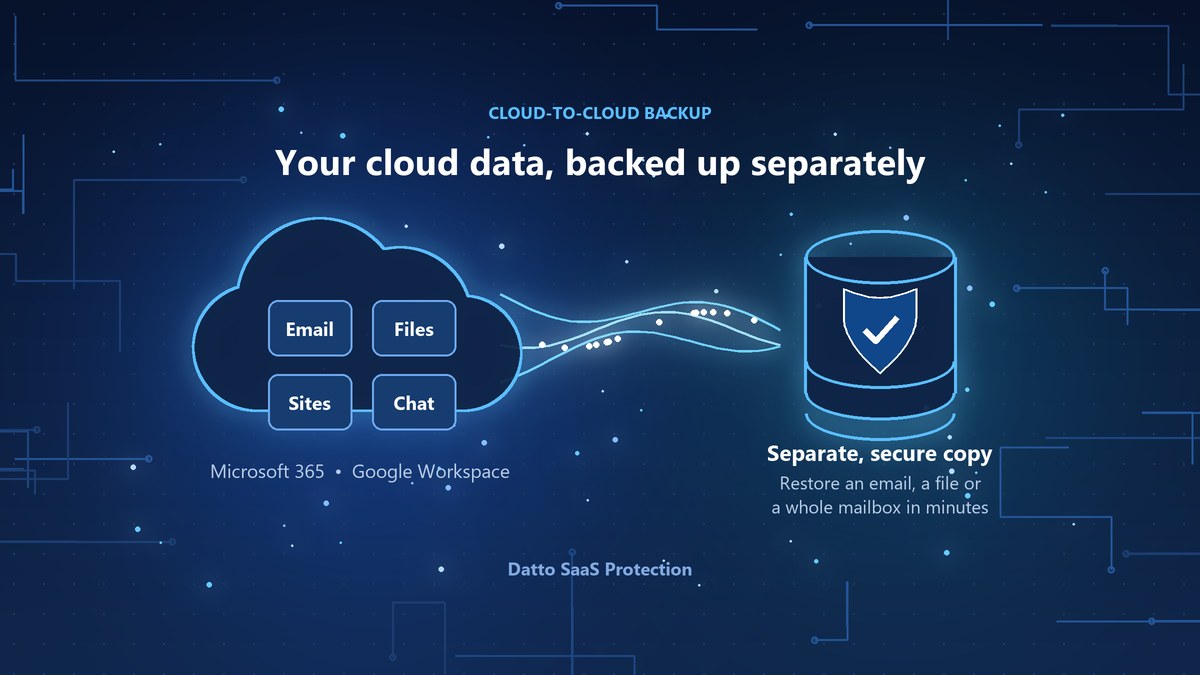
Datto SaaS Protection is a cloud-to-cloud backup service for Microsoft 365 and Google Workspace. It automatically backs up your business data several times a day and stores it separately from your Microsoft or Google account, so an issue in one doesn’t wipe out the other.
For Microsoft 365, that includes:
- Exchange Online email, calendars and contacts
- OneDrive files
- SharePoint sites and documents
- Teams conversations and files
Google Workspace coverage includes Gmail, Drive, Calendar and Contacts.
What happens when you need something back?
Restoring is quick and precise. You can recover a single email, a folder, an entire mailbox or a whole SharePoint site, from a specific point in time before the problem started. When an employee leaves, their data can be kept and restored later without paying to keep their license active.
What about laptops and desktops?
Not everything lives in the cloud. Important work often sits on someone’s laptop until the day it’s lost or stolen. Datto Endpoint Backup protects Windows and Mac computers directly to the cloud, so that work is protected too. Together with SaaS Protection, it covers the places your team actually works.
Where do I start?
Ask yourself: if an employee deleted a year’s worth of client email today, how would you get it back? If you’re not sure, it’s worth a conversation.
Contact the Cyber Mavens to schedule your free, two-hour consultation. We’ll review how your Microsoft 365 or Google Workspace data is protected today and set up Datto SaaS Protection if it’s the right fit. Learn more about our cybersecurity and backup services.